PayID Casino on iOS vs Android
Why the device choice matters less than the platform policies behind it The question I get from readers more often than almost any other is whether they should switch phones…

How CommBank handles PayID casino deposits: A$25,000 daily limit, fraud overlay, gambling block coverage and the typical first-payment hold
 Available in AU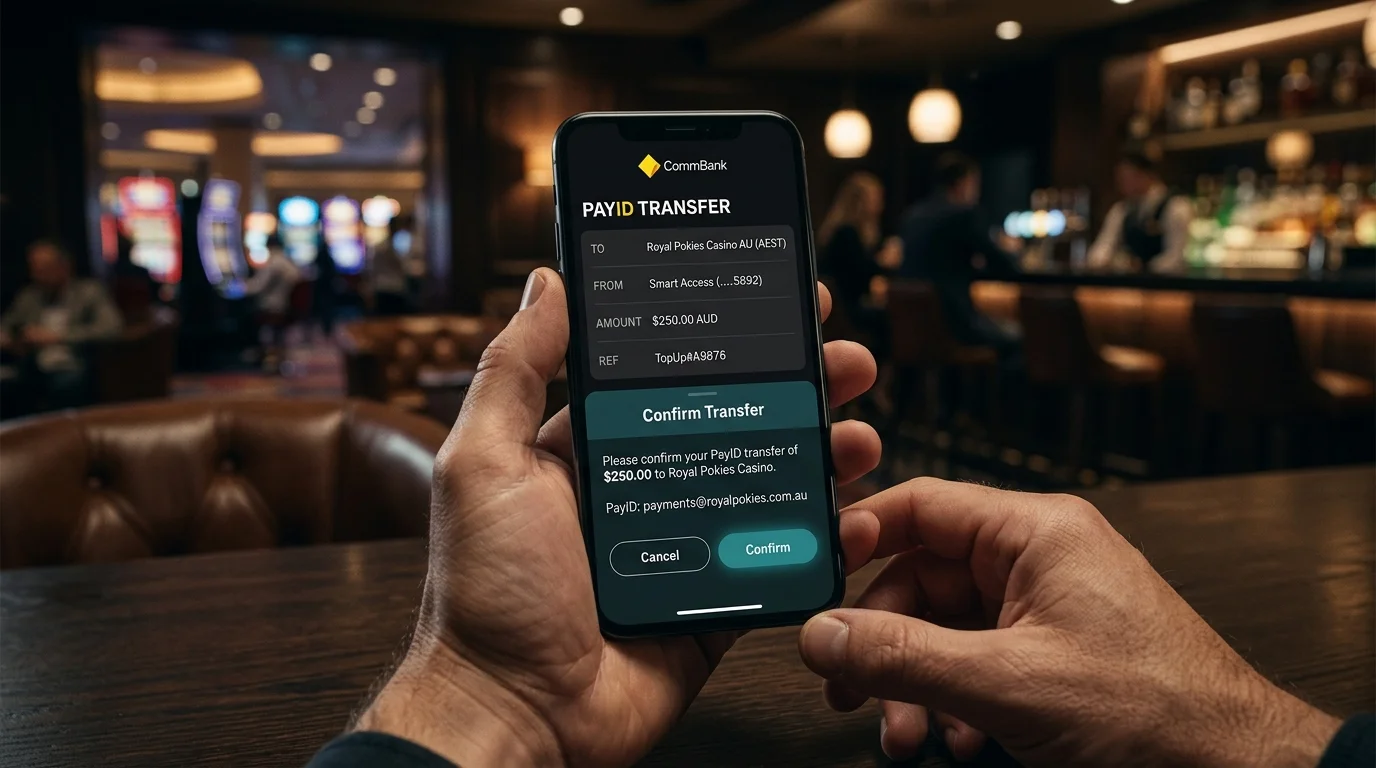
Roughly seven out of every ten PayID casino deposits I trace originate from a CommBank account. That dominance is not random — it reflects CommBank’s combined retail market share, its early-mover position on PayID, and its app’s relatively low friction on first-time payee setup. For a punter walking into the offshore casino market from a Big Four account, CommBank is statistically the most likely starting bank, and the operational behaviour of CommBank’s PayID flow effectively defines the player experience.
This piece walks through the specific behaviour of CommBank PayID end to end: setup, daily limits, the fraud overlay that catches first-time-recipient transactions, and the Gambling Block tool that does and does not interact with offshore casino deposits. The aim is to give a CommBank customer a working model of what to expect and what to do when something stops working — which it will, eventually, because every fraud overlay misfires sometimes.
Setup runs through the CommBank app and takes under three minutes if you have a mobile number or email already associated with your bank profile. Open the app, tap More from the bottom navigation, select PayID, then “Create a PayID.” The screen presents two alias options: mobile number and email. ABN aliases also exist for business accounts but are not the standard retail path.
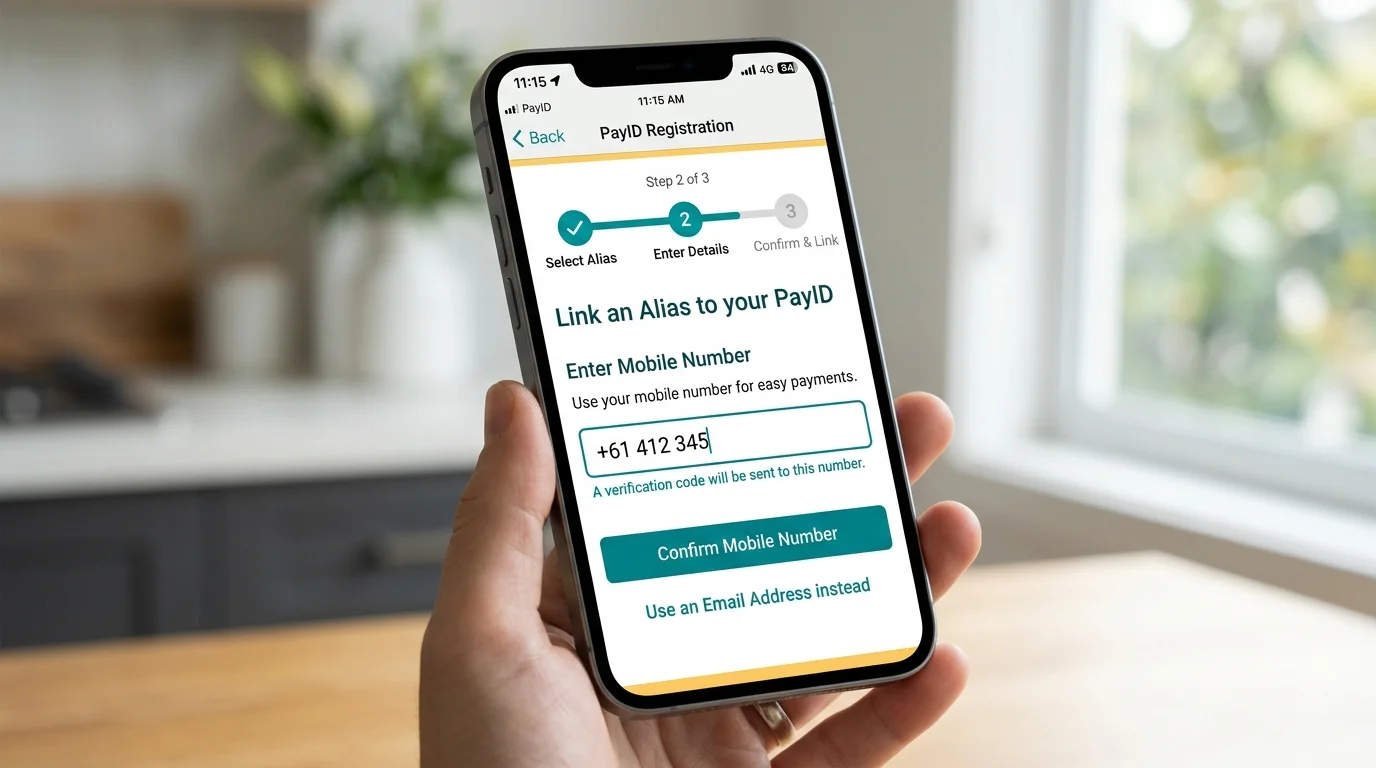
Select an alias type. CommBank will pre-populate your registered mobile number and any verified email addresses on file. Pick one and tap continue. The bank sends a verification code to that alias — SMS to mobile or email link for email — and you confirm. Once the verification clears, the PayID is registered against your default deposit account, which you can change in the same flow if you want a different account to receive funds.
The choice between mobile and email alias matters for casino deposits. Mobile alias verification is slightly faster, with SMS confirmations clearing in under thirty seconds. Email alias takes a minute or two because the verification link needs clicking through. For first-time setup, either works fine; for frequent casino deposits, mobile alias is marginally smoother because the SMS confirmation flow is the one CommBank optimises most aggressively.
Removal works through the same screen. Tap PayID, select the registered alias, and choose “Close PayID.” The alias unbinds within seconds and stops receiving payments, though any in-flight transfer will still complete to your account.
CommBank’s default daily PayID transfer limit sits at A$1,000 to A$2,000 for new accounts, scaling up to the Big Four ceiling of A$25,000 per day for verified accounts in the app. The default is deliberately conservative because the bank wants you to demonstrate genuine intent before opening the gates on outbound transfers.
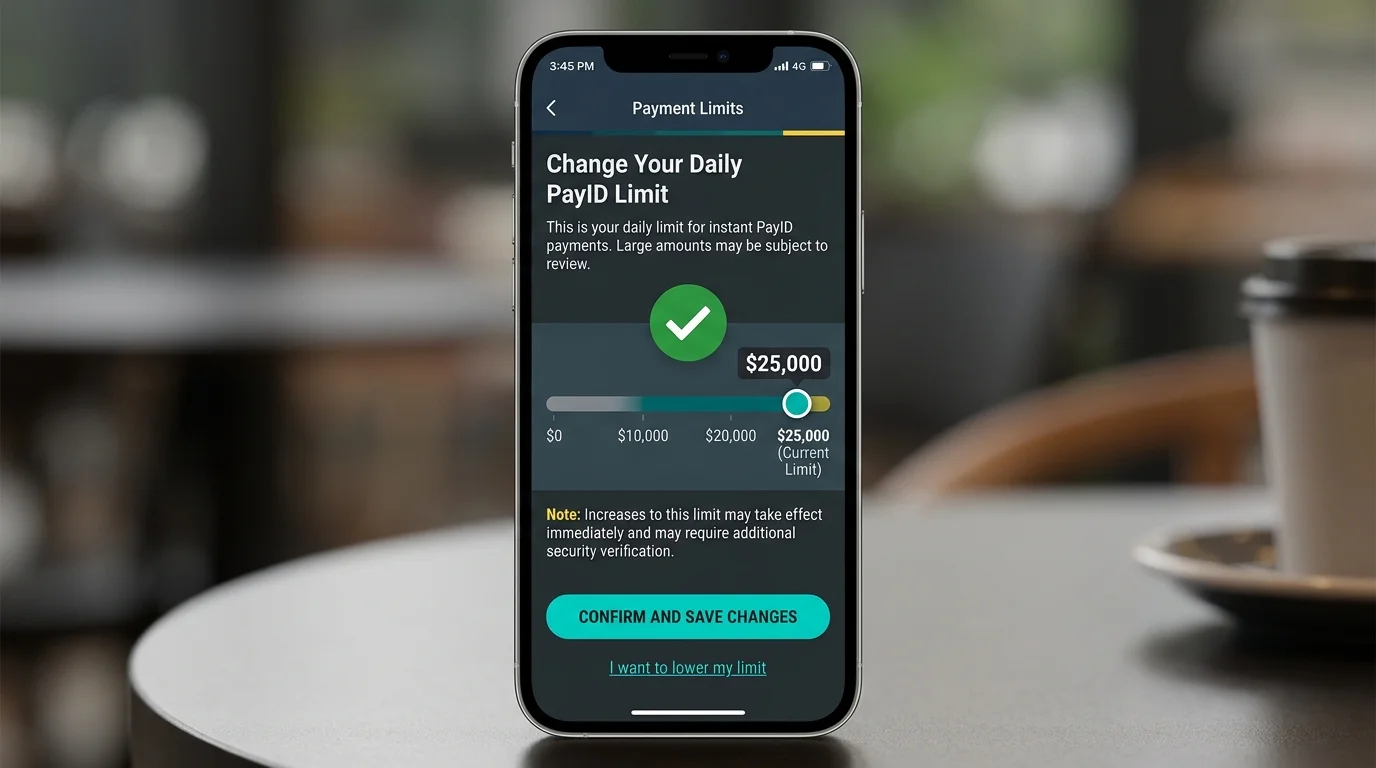
Raising the limit is done in the app, not on the phone. Open the CommBank app, navigate to Settings, then Daily Limits, then “Increase your daily limit.” The flow asks for your intended new limit, runs a two-factor authentication check using NetCode (SMS code) or the app’s biometric confirmation, and applies the new limit usually within seconds. The maximum addressable through the app sits at A$25,000 per day for outbound PayID.
Higher limits than A$25,000 per day need a phone call. The CommBank business line can authorise temporary limit lifts up to A$100,000 for specific named transactions, but you will need to articulate why and provide the recipient details on the call. For repeated high-value casino transfers, this becomes operationally tedious — which is why most high-value players either split larger deposits across multiple days at A$25,000 each or use a different rail entirely for the largest amounts.
The limit reset cycle is calendar day in Sydney time. A$25,000 sent at 11:30 PM AEST is followed by another A$25,000 available at 12:01 AM AEST. This window is the one most exploited by players moving larger amounts who want to maintain the in-app ceiling without phoning support.
This is where new CommBank users get caught most consistently. The fraud detection system flags the first PayID transfer to any new recipient — and a casino’s PayID alias counts as a new recipient even if you have already sent the operator money via card. The flag is automatic and applies regardless of amount, though larger first-time transfers trigger more intensive checks.
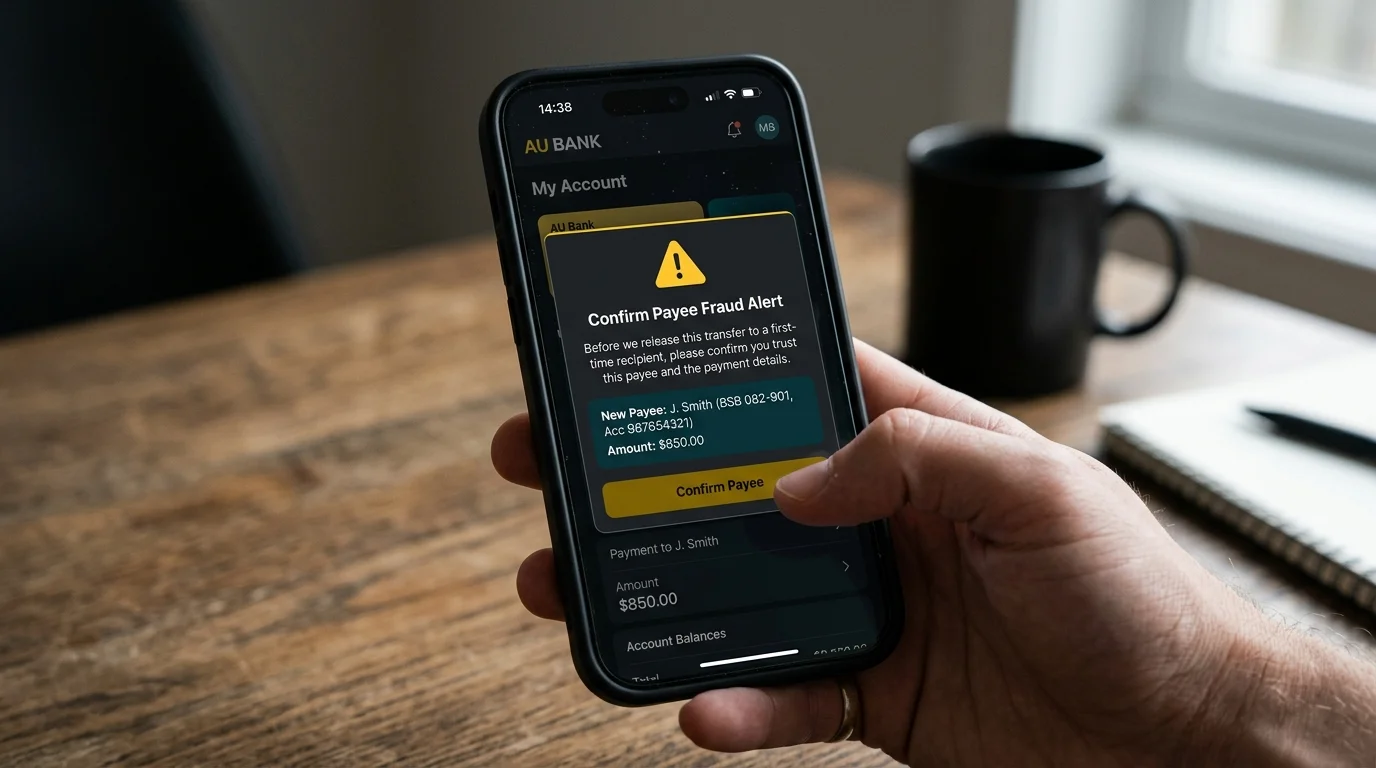
What happens in practice: you initiate an A$500 PayID transfer to the casino’s alias, the app pauses on a “verifying” screen, and one of three things happens. First scenario: the fraud engine clears within 10 to 30 seconds and the transfer completes normally. Second scenario: the app shows a prompt asking you to confirm you intended to send to this recipient, you tap confirm, and the transfer completes within another minute. Third scenario: the system holds the transfer and triggers a phone call from CommBank’s fraud team, usually within 5 to 15 minutes during business hours and 30 to 60 minutes outside.
The phone call is unsettling the first time it happens. The agent will ask you to confirm the transaction, the recipient, the amount, and whether you initiated the transfer voluntarily — that last question is specifically targeted at scam-victim scenarios where someone has been coached to send money under duress. Confirm the transaction honestly and the agent releases the hold within minutes. The check runs against a fraud database backed by the broader NPP infrastructure, which had over 114 million accounts connected by the end of 2024 — the network effect of that database is the reason CommBank’s overlay catches genuine fraud at much higher rates than smaller banks.
CommBank’s Gambling Block is an opt-in self-exclusion tool that the bank introduced as a harm-reduction feature. When enabled, it blocks card transactions to merchants tagged with the gambling MCC (7995) — which covers most onshore betting and a portion of offshore card processors. It is a genuinely useful tool for players who want a bank-side guardrail on top of, or instead of, formal BetStop registration.
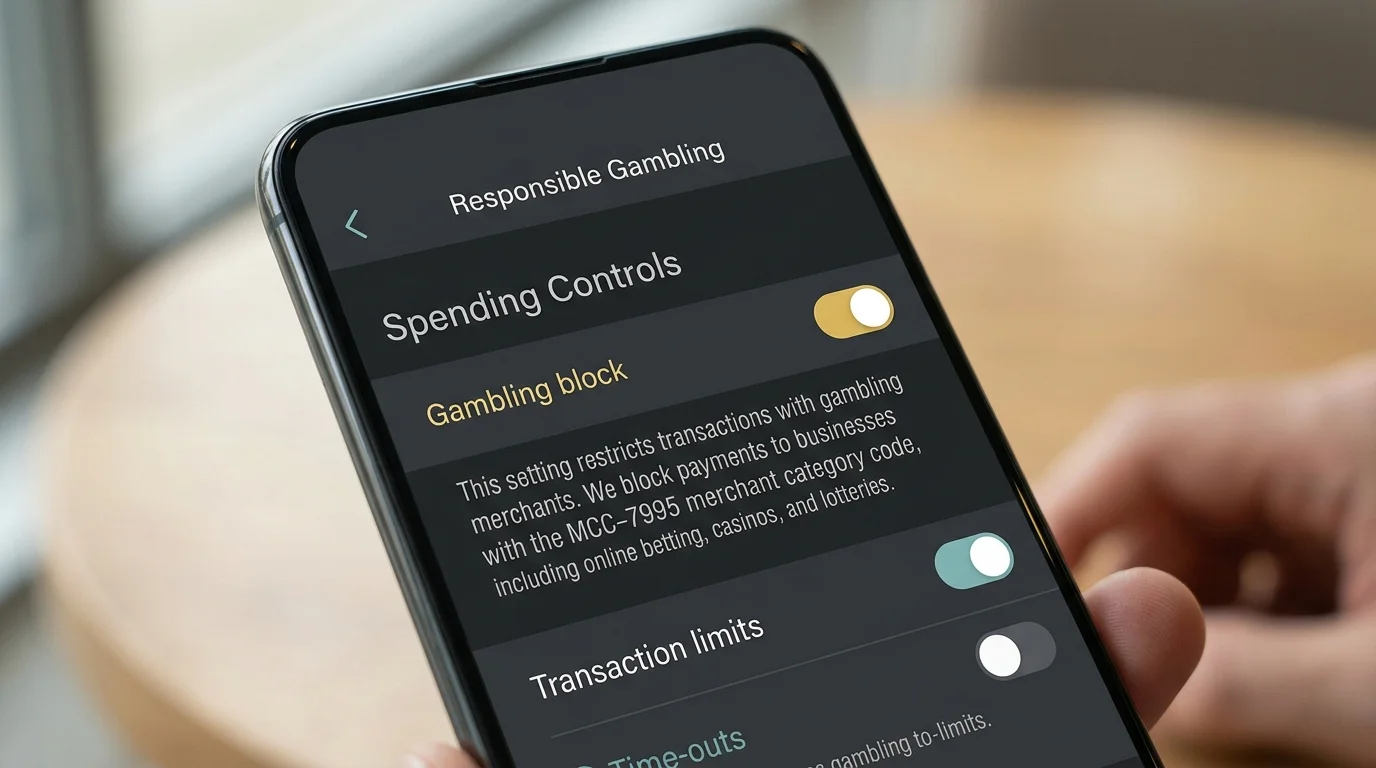
The structural limit of the tool is exactly what makes it relevant for PayID conversations. The Gambling Block operates on merchant category codes, which are attached to card transactions through the payment network. PayID transfers do not go through card networks; they go through the NPP as account-to-account transfers, and the recipient is identified by a PayID alias not by an MCC. The block, by design, cannot see what the recipient is — only that it is an Australian financial institution account, which it usually is even when the operator behind the alias is offshore.
This is not a bug in the Gambling Block; it is a structural feature of how PayID and card networks differ. Players who enable the Gambling Block as a self-exclusion measure and then continue to gamble via PayID are observing the limit of the tool, not a flaw. CommBank documentation discloses this explicitly in the fine print. Westpac runs a parallel tool with similar mechanics — the Westpac’s parallel gambling-stop tool piece walks through the comparison in detail. For a player using Gambling Block as their primary safety net, BetStop registration is the layer that actually closes the PayID gap.
Three things account for roughly 90 per cent of the failed PayID deposits I see from CommBank customers. First, the daily limit. A player tries to send A$3,000 with an A$2,000 daily limit still in default state, the transfer fails or partial-fills, and the player thinks the casino refused the payment. The fix is to raise the daily limit in-app before attempting the transfer.

Second, the fraud overlay. First-time payee transfers get held, the player does not see the in-app prompt because the app was closed, and the transfer sits in limbo for 24 to 72 hours until the fraud team’s outbound call goes through. The fix is to keep the app open after submitting the first PayID transfer to any new recipient.
Third, name mismatch. CommBank registers the alias against the bank account holder’s legal name, and the casino expects the deposit to originate from an account name that matches the player’s casino account name. A discrepancy between the CommBank account name and the casino account name causes the deposit to be flagged at the casino end, returned to CommBank, and reversed. The fix is to ensure both names match exactly before depositing.
Edge cases beyond these three include scheduled-payment issues (PayID does not support scheduling, so attempting it through a workaround can fail silently), corrupted aliases (rare, but they happen if the alias has been changed recently at the casino), and merchant-side cashier errors that look like a CommBank failure but are operator-side.
CommBank’s PayID flow is the most consistent across the Big Four. The daily limit ceiling matches the others, but the fraud overlay’s behaviour is the most rational — first-time-payee verification is meaningful without being aggressive, and the limit raise flow is the cleanest in-app. The Gambling Block is a useful adjacent tool that does not interfere with PayID directly. For a player who understands these mechanics, CommBank deposits to PayID-accepting casinos work in roughly 95 per cent of attempted transactions, with failure modes diagnosable in under five minutes.
Why the device choice matters less than the platform policies behind it The question I get from readers more often than almost any other is whether they should switch phones…
The verification you can skip until your first cashout The single biggest…
How Westpac's flow differs from the CommBank baseline The second-most-common bank I…
Why new casinos sit in a category of their own A reader…
Written by the editors at casinopayidau.com.